Safe Chat on Roblox: A UK Children’s Guide to Online Safety
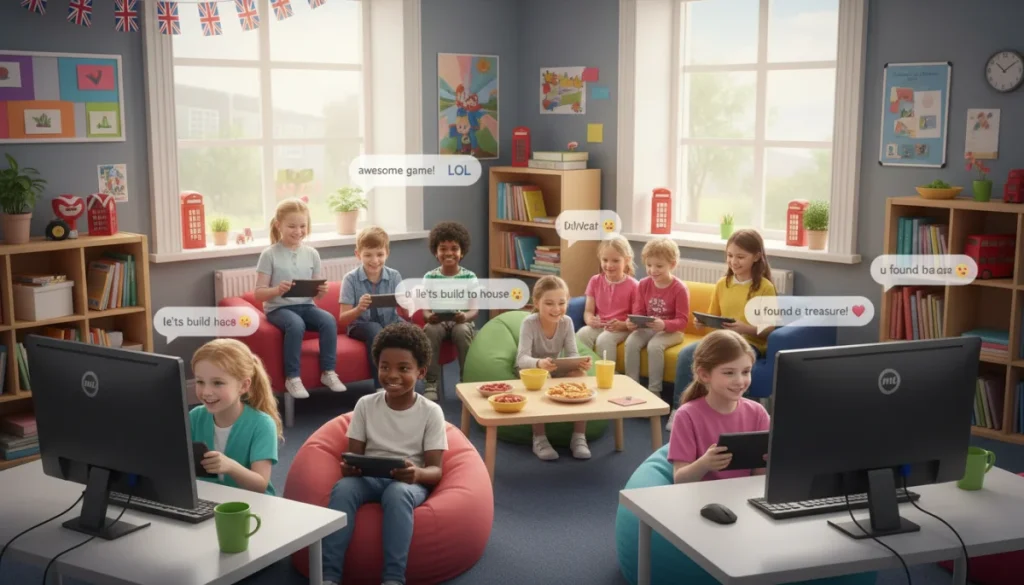
This guide provides essential information for UK children on how to use Roblox’s safe chat features, understand privacy settings, and report inappropriate content, ensuring a secure and enjoyable gaming environment.
Are you a young gamer in the UK who loves exploring the endless worlds of Roblox? Understanding how to use safe chat on Roblox: a guide for UK children is crucial for a fun and secure online experience. This article will walk you through everything you need to know to chat safely and responsibly while playing your favorite games.
Understanding Roblox’s chat filters and how they work
Roblox is a vibrant platform where millions of children from the UK and around the world connect, create, and play. A core part of this interaction is chat, which allows players to communicate with each other in real-time. To ensure these interactions remain appropriate and safe for younger users, Roblox employs sophisticated chat filters. These filters are designed to block inappropriate words, personal information, and anything that could be harmful or offensive. Knowing how these systems work is the first step towards a truly safe online experience.
The filtering system on Roblox is constantly updated and refined to catch new slang and evolving threats. It’s a robust tool, but it’s important for children and parents to understand its limitations and how to supplement it with personal vigilance. Roblox categorizes its chat filters based on age, providing different levels of protection for users under 13 and those 13 and older. For UK children, this means that the chat experience is tailored to provide maximum safety, restricting certain words and phrases that might be acceptable for older users.
How Roblox filters content
- Age-based filtering: Accounts registered with an age under 13 have a stricter filter that removes more words and prevents sharing of personal details like full names, addresses, and phone numbers.
- Keyword blocking: Roblox maintains an extensive list of inappropriate words, phrases, and even certain numbers or symbols that are automatically blocked from appearing in chat.
- Contextual analysis: Beyond simple keyword blocking, Roblox’s system attempts to understand the context of messages to identify potentially harmful content, even if individual words are not on a blacklist.
Even with advanced filters, no system is perfect. Sometimes, clever users might try to circumvent filters, or a phrase might slip through that is technically allowed but still makes someone uncomfortable. This is why understanding how to report issues and manage your own privacy settings is so important. The filters are a powerful first line of defense, but they work best when combined with user awareness and proactive safety measures. Always remember that the goal is to create a positive and respectful environment for everyone playing on Roblox.
Setting up privacy controls for UK children on Roblox
Beyond the automatic chat filters, Roblox provides comprehensive privacy controls that allow parents and children in the UK to customize their online experience. These settings empower users to decide who can interact with them, who can send them messages, and who can join them in games. Taking the time to properly configure these settings is a vital step in ensuring a secure and enjoyable environment, giving you greater control over your child’s interactions on the platform. It’s not just about blocking bad words; it’s about managing who your child engages with.
Accessing these settings is straightforward, usually found within the ‘Privacy’ section of the account settings. Parents can often manage these settings through their own linked accounts, providing an additional layer of oversight. For UK children, understanding each option is key to making informed decisions about their online presence. These controls are designed to be flexible, allowing different levels of interaction based on comfort and maturity. Discussing these options as a family can also be a valuable way to teach digital literacy.
Key privacy settings to review
- Who can chat with me?: This setting allows you to choose between ‘Everyone,’ ‘Friends,’ ‘Friends and users I follow,’ or ‘No one.’ For younger children, setting this to ‘Friends’ or ‘No one’ is often recommended.
- Who can message me?: Similar to chat, this controls who can send private messages. Restricting this to ‘Friends’ or ‘No one’ can prevent unwanted direct communication.
- Who can join me in games?: This setting determines who can follow you into a game experience. Limiting this to ‘Friends’ ensures your child only plays with people they know and trust.
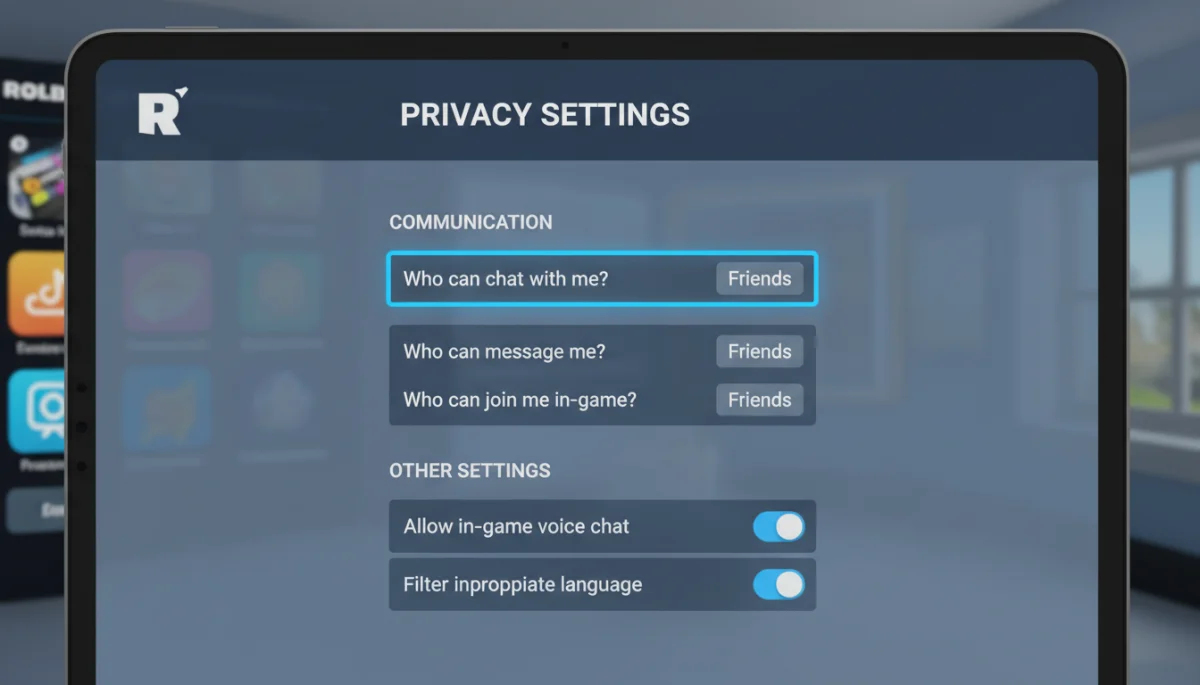
Regularly reviewing and adjusting these privacy settings is a good practice, especially as children grow and their understanding of online interactions evolves. What might be appropriate for a 7-year-old might be too restrictive for a 12-year-old, or vice-versa, depending on their individual maturity and experience. Open communication between children and parents about these settings can build trust and ensure that any changes are made with full understanding and agreement. Remember, these tools are there to empower you and your child, not to replace thoughtful online engagement.
Recognizing and reporting inappropriate content or behavior
Even with robust chat filters and careful privacy settings, it’s possible for UK children to encounter inappropriate content or behavior on Roblox. Knowing how to recognize these situations and, more importantly, how to report them effectively is a critical skill for online safety. Roblox has a dedicated reporting system designed to allow users to flag problematic content or interactions directly to their moderation team. Empowering children to use this tool confidently is a cornerstone of responsible online citizenship.
Inappropriate content can range from offensive language that bypasses filters to bullying, harassment, or attempts to solicit personal information. Behavior that makes a child feel uncomfortable or unsafe should always be taken seriously. It’s important to teach children that reporting is not ‘telling tales’ but rather a way to protect themselves and others, helping to keep the Roblox community a positive place for everyone. Discussing real-life scenarios can help children understand what constitutes inappropriate behavior and when to seek help.
Steps for reporting abuse on Roblox
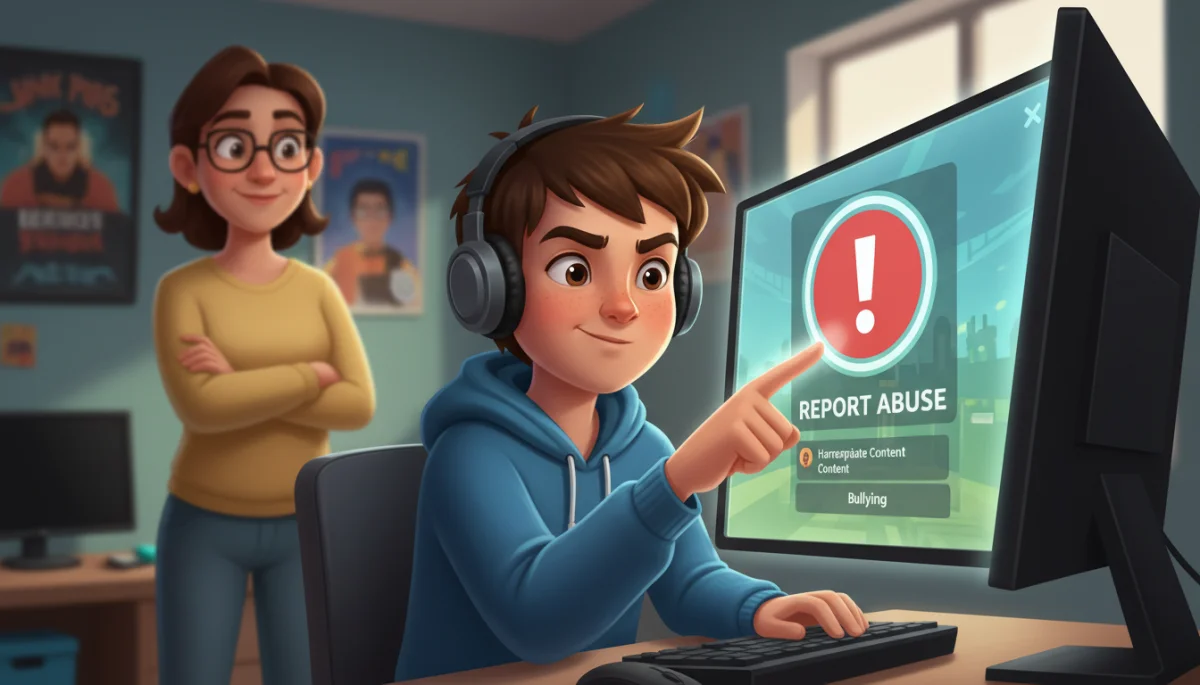
- Locate the report button: In most Roblox experiences, there’s a ‘Report Abuse’ button, often found near the player list or within the game menu.
- Select the correct category: When reporting, choose the category that best describes the issue, such as ‘Inappropriate Chat,’ ‘Bullying,’ or ‘Personal Information Request.’
- Provide details: Briefly explain what happened, including who was involved and when it occurred. The more information provided, the easier it is for Roblox moderators to investigate.
After a report is submitted, Roblox’s moderation team reviews the incident. They take action based on their community standards, which can range from warnings to temporary bans or even permanent account termination for severe violations. It’s crucial for children to understand that they should never try to handle inappropriate behavior on their own by engaging with the person or retaliating. Instead, they should report the incident and, if necessary, block the user. Parents should also encourage children to speak with them immediately if they encounter anything disturbing online. This collaborative approach ensures the quickest and most effective resolution to any online safety concerns.
Parental guidance and involvement in Roblox safety
For parents in the UK, active involvement and guidance are paramount in ensuring their children have a safe and positive experience on Roblox. While Roblox provides many tools, parental supervision and open communication are the most effective layers of protection. Understanding the platform, its features, and the potential risks allows parents to make informed decisions and guide their children effectively. This isn’t about constant surveillance, but rather about creating an environment of trust and shared responsibility.
Starting with an understanding of what Roblox is and how children interact with it is key. Parents should familiarize themselves with the games their children play, the friends they make, and the general culture of the platform. Regular conversations about online safety, digital citizenship, and appropriate behavior can reinforce positive habits and empower children to make smart choices independently. Establishing clear rules and expectations for online play, just as you would for offline activities, is an essential part of this guidance. This proactive approach helps to mitigate risks before they become serious problems.
Effective parental strategies
- Play together: Join your child in their favorite Roblox games. This provides insight into their online interactions and opens opportunities for discussion.
- Set time limits: Establish clear boundaries for screen time to ensure a healthy balance between online and offline activities.
- Review account settings: Regularly check and adjust privacy and parental control settings on your child’s Roblox account, especially for younger users.
- Educate about personal information: Teach children never to share personal details like their full name, address, school, or phone number with anyone online, even if they seem friendly.
Beyond these strategies, it’s vital to maintain an open line of communication. Encourage your child to come to you with any concerns or anything that makes them feel uncomfortable online, without fear of judgment or having their access to Roblox immediately revoked. This fosters a trusting relationship where children feel safe seeking help. By being informed, involved, and communicative, UK parents can create a much safer and more enriching Roblox experience for their children, allowing them to enjoy the platform’s creativity and social aspects responsibly.
Teaching digital citizenship and responsible online behavior
Beyond the technical safeguards and parental controls, teaching UK children about digital citizenship and responsible online behavior is perhaps the most powerful tool for ensuring safe chat on Roblox. Digital citizenship encompasses the norms of appropriate, responsible behavior with regard to technology use. It’s about understanding that online actions have real-world consequences and that respect, empathy, and critical thinking are just as important in the virtual world as they are in the physical one. This foundational knowledge empowers children to navigate online spaces with confidence and integrity.
Starting these conversations early and reinforcing them regularly helps children develop a strong ethical framework for their online interactions. It’s not just about avoiding dangers, but about actively contributing to a positive online community. Discussing topics like cyberbullying, the permanence of online content, and the importance of verifying information can equip children with the skills to make wise choices. Roblox, with its social and creative elements, provides an excellent platform for these lessons to take root and be practiced in a real-world context.
Key principles of digital citizenship for Roblox players
- Respectful communication: Encourage children to use kind and appropriate language, even when they disagree with others. Remind them that there’s a real person on the other side of the screen.
- Think before you type: Teach the importance of pausing before sending a message, considering if it’s clear, kind, and necessary.
- Privacy awareness: Reinforce the concept of not sharing personal information and understanding that not everyone online is who they claim to be.
- Reporting and blocking: Emphasize that it’s always okay to report inappropriate behavior and block users who make them feel uncomfortable, and that this is a sign of strength, not weakness.
- Media literacy: Help children understand that not everything they see or read online is true and to be critical of information and requests from strangers.
By instilling these principles, parents and educators are not just protecting children from online threats, but are also preparing them to be responsible and thoughtful participants in an increasingly digital world. A child who understands digital citizenship is better equipped to handle challenges, make ethical decisions, and contribute positively to online communities like Roblox, fostering a safer and more enjoyable experience for everyone involved. This proactive education is an investment in their long-term digital well-being.
Resources and support for UK parents and children
Navigating the complexities of online safety on platforms like Roblox can feel overwhelming at times for both UK children and their parents. Fortunately, there are numerous resources and support systems available to help. From official Roblox guides to independent online safety organizations in the UK, these resources provide valuable information, tools, and advice to ensure a secure and positive online gaming experience. Knowing where to turn for help or further information is an essential part of comprehensive online safety.
Roblox itself offers a comprehensive ‘Parents Guide’ and a dedicated ‘Safety’ section on its website, providing detailed information on their safety features, moderation policies, and how to use parental controls. These official resources are an excellent starting point for understanding the platform’s commitment to user safety. Beyond Roblox, several UK-based organizations specialize in child online safety, offering expert advice and support that is tailored to the specific legal and cultural context of the United Kingdom. These organizations often provide age-appropriate materials for children and practical tips for parents.
Key UK online safety resources
- NSPCC (National Society for the Prevention of Cruelty to Children): Offers advice for parents on keeping children safe online, including specific guidance on gaming and social media.
- Childnet International: Provides resources for children, parents, and educators to promote a safe and positive internet. Their ‘Know IT All’ resources are particularly helpful.
- Internet Matters: A non-profit organization that provides practical advice and resources for parents to help keep children safe online, with specific guides for various apps and platforms, including Roblox.
- Safer Internet Centre UK: Offers tips, advice, guides, and resources to help keep children and young people safe online, and organizes Safer Internet Day annually.
These organizations regularly update their advice to reflect the latest online trends and challenges, making them invaluable partners in your child’s online journey. Don’t hesitate to explore their websites, download their guides, or reach out for specific advice if you have concerns. By leveraging these resources, UK parents and children can stay informed, address potential issues proactively, and ensure that their time on Roblox remains a source of fun, creativity, and safe social interaction, rather than a cause for worry. Remember, you are not alone in this; a wealth of support is available to help you.
| Key Aspect | Brief Description |
|---|---|
| Chat Filters | Roblox uses age-based filters to block inappropriate content and personal information from chat. |
| Privacy Controls | Users can customize who can chat, message, and join them in games via account settings. |
| Reporting Abuse | Learn how to identify and report inappropriate content or behavior directly to Roblox moderators. |
| Digital Citizenship | Empower children with knowledge on respectful, responsible, and safe online interactions. |
Frequently asked questions about safe chat on Roblox
Roblox employs an advanced, age-based filtering system. For UK children under 13, stricter filters are applied, blocking inappropriate words, phrases, and personal identifiable information. This system is constantly updated to adapt to new slang and ensure a safe communication environment, working to protect younger users from unsuitable content and interactions.
Key privacy settings include ‘Who can chat with me?’, ‘Who can message me?’, and ‘Who can join me in games?’. For younger UK children, setting these to ‘Friends’ or ‘No one’ is highly recommended. Regularly reviewing these settings with a parent ensures that the child’s online interactions remain controlled and secure, adapting as they grow.
Children can report inappropriate content or behavior using the ‘Report Abuse’ button found in most Roblox experiences. They should select the relevant category and provide a brief description of the incident. It’s crucial for children to report and block, rather than engage, and to inform a trusted adult immediately for further support and action.
Parental involvement is crucial. UK parents should actively engage by understanding Roblox features, playing games with their children, and regularly reviewing privacy settings. Open communication about online safety and digital citizenship helps children make responsible choices. Parents act as a vital support system, encouraging children to share concerns without fear, fostering a trusting environment.
Yes, several UK organizations offer excellent online safety resources. The NSPCC, Childnet International, Internet Matters, and the UK Safer Internet Centre provide tailored advice for parents and children on safe internet use, including guidance specific to gaming platforms like Roblox. These resources are invaluable for staying informed and addressing any concerns effectively.
Conclusion
Ensuring safe chat on Roblox: a guide for UK children is a shared responsibility that combines robust platform features, proactive parental involvement, and informed digital citizenship. By understanding and utilizing Roblox’s sophisticated chat filters and privacy controls, and by knowing how to effectively report inappropriate content, children can navigate the platform with confidence. Furthermore, the continuous guidance from parents and the wealth of UK-specific online safety resources empower young players to make responsible choices, fostering a positive, creative, and secure online gaming environment for everyone. Staying informed and maintaining open communication are the cornerstones of a truly safe Roblox experience.
