Roblox Beginner’s Guide: Your First Steps to Fun
This comprehensive guide offers new players a clear path to understanding Roblox, detailing account creation, platform navigation, game discovery, avatar customization, and essential safety tips to ensure an enjoyable and secure experience.
Welcome to the expansive universe of Roblox, a platform where imagination knows no bounds and millions of experiences await. If you’re eager to dive into this vibrant virtual world but aren’t sure where to begin, this Roblox Beginner’s Guide is your perfect starting point. We’ll walk you through everything you need to know to get started, from setting up your account to mastering the basics of gameplay and customization.
Getting started: creating your Roblox account
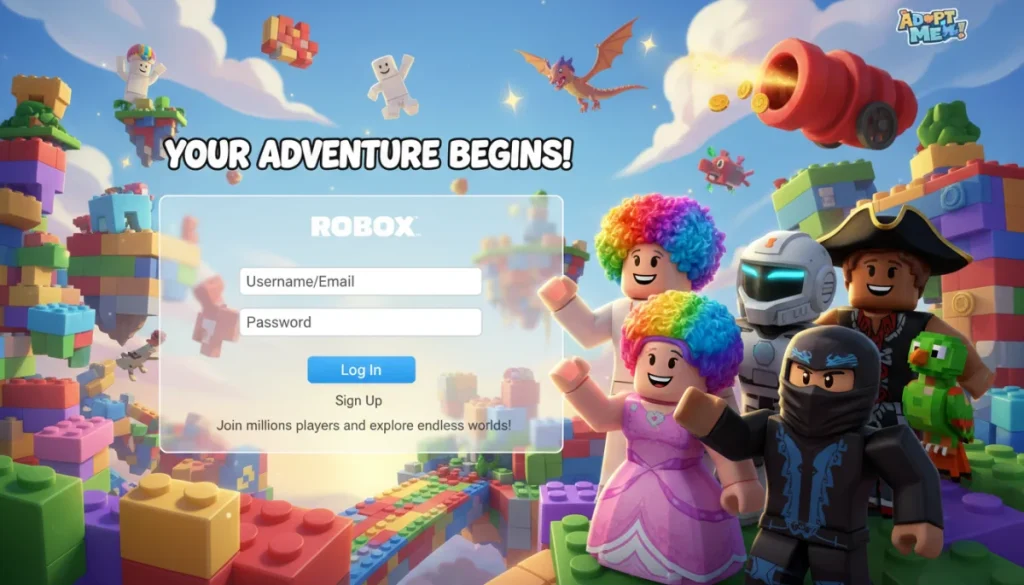
Embarking on your Roblox journey begins with a simple yet crucial step: creating your account. This process is designed to be straightforward, ensuring you can quickly move from registration to exploring the countless worlds available. Understanding each part of the sign-up ensures a smooth entry into the platform.
The first interaction you’ll have with Roblox is typically through its website or the dedicated application. Both interfaces guide you through a series of inputs to establish your unique presence. It’s important to note that the information requested is minimal, focusing on creating a safe and age-appropriate environment for all users.
Choosing your username and password
Your username is your identity within Roblox. It’s how other players will recognize you, so choose something memorable and appropriate. Roblox has specific guidelines for usernames, often recommending combinations of letters and numbers to ensure uniqueness. Avoid using your real name or any personal information that could compromise your privacy.
- Uniqueness: Your username must be one-of-a-kind.
- Appropriateness: Ensure it adheres to Roblox’s community standards.
- Memorability: Pick something you’ll easily recall.
Equally critical is your password. A strong password combines uppercase and lowercase letters, numbers, and symbols. This robust combination safeguards your account from unauthorized access, protecting your virtual assets and personal information. Never share your password with anyone, even if they claim to be from Roblox support.
Providing essential information
Roblox will ask for your birth date. This is vital for implementing age-appropriate content filters and safety features, ensuring that younger players are protected from mature content. While an email address or phone number can be added for account recovery, it’s optional during the initial setup for children.
After inputting these details, you’ll typically be asked to agree to Roblox’s Terms of Use and Privacy Policy. It is highly recommended to read these documents to understand your rights and responsibilities as a user. Once these steps are complete, you’re officially a part of the Roblox community, ready to explore.
In conclusion, creating your Roblox account is a quick and secure process designed with user safety in mind. By choosing a unique username, a strong password, and providing accurate birth date information, you establish a solid foundation for your adventures in the Roblox metaverse.
Navigating the Roblox interface: finding your way around
Once your account is set up, the next step in your Roblox Beginner’s Guide journey is to familiarize yourself with the platform’s interface. Roblox offers a user-friendly design, but with so many options, knowing where to look can save you time and enhance your experience. Understanding the main sections will help you quickly find games, connect with friends, and customize your avatar.
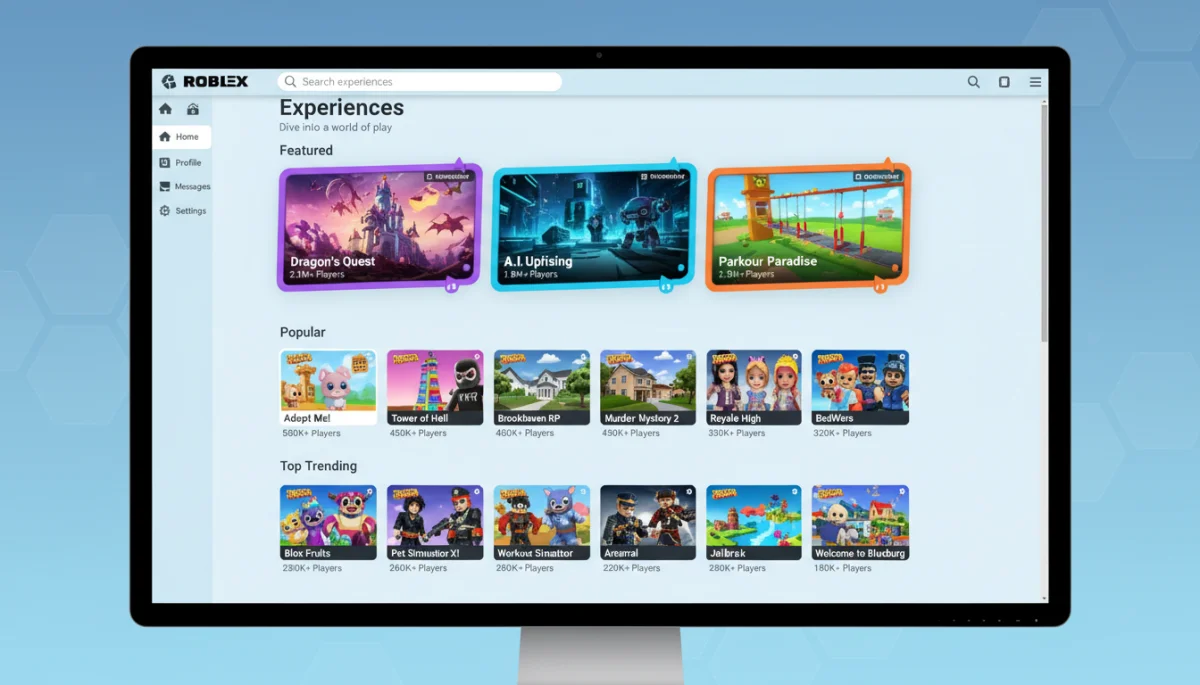
The Roblox homepage is your central hub. Upon logging in, you’ll see a personalized feed, recommended games, and quick access to various features. This layout is designed to help you discover new experiences tailored to your interests, making it easy to jump into the action or explore something new.
The homepage and game discovery
The most prominent feature on the homepage is the game discovery section. Here, you’ll find a curated list of popular games, trending experiences, and categories like “Obby,” “Tycoon,” or “Roleplay.” You can scroll through these lists or use the search bar to find specific games or genres that pique your interest.
- Featured: Highlights new and popular games.
- Categories: Organizes games by genre for easy browsing.
- Search Bar: Allows you to find specific games or users.
Clicking on a game’s thumbnail will take you to its dedicated page, where you can read descriptions, view screenshots, check player counts, and see ratings. This page also often includes information about the game’s creator and any unique features it offers, helping you decide if it’s the right fit for your play style.
Your profile and friends list
Your profile page is where you can showcase your avatar, display your favorite games, and manage your friends list. You can access it by clicking on your avatar icon or username. Here, you can send friend requests, accept incoming ones, and even join friends in games they are currently playing, fostering a social experience.
The friends list is crucial for multiplayer interactions. You can see which of your friends are online, what games they are playing, and even chat with them directly through the platform’s messaging system. This connectivity is a core part of the Roblox experience, allowing for shared adventures and collaborative play.
In summary, navigating the Roblox interface is intuitive once you understand its main components. The homepage facilitates game discovery, while your profile and friends list enable social interaction, ensuring you can easily find content and connect with others.
Playing your first Roblox game: an exciting adventure
After familiarizing yourself with the interface, the true fun begins: playing your first Roblox game. This is where the virtual world comes alive, offering endless possibilities for adventure, creativity, and social interaction. Understanding the basics of joining and interacting within a game is crucial for a smooth and enjoyable experience.
Roblox games, often referred to as “experiences,” are created by users for users, leading to an incredible diversity in gameplay. From intricate role-playing worlds to challenging obstacle courses (obbies) and strategic simulations, there’s truly something for everyone. Each game has its unique mechanics, but the core process of joining and playing remains consistent.
Joining a game and basic controls
To join a game, simply click the green “Play” button on its dedicated page. Roblox will then launch the game, often requiring a brief loading time depending on your internet connection and device. Once loaded, you’ll typically find yourself in a starting area, ready to explore.
The basic controls in most Roblox games are standard:
- WASD or Arrow Keys: Movement (forward, backward, left, right).
- Spacebar: Jump.
- Mouse: Camera control and interaction (clicking on objects or menus).
Some games might introduce additional controls, which are usually explained within the game itself or through on-screen tutorials. Take a moment to experiment with the controls in a safe zone before diving into more complex gameplay.
Interacting with the game world and other players
Interaction is a key element of Roblox. You’ll often find objects you can click on, non-player characters (NPCs) to talk to, or other players to collaborate with. The chat function is a primary way to communicate with others, allowing you to type messages that are visible to everyone in the game.
Remember that Roblox has strict chat filters to ensure a safe environment, especially for younger users. Always be respectful and adhere to community guidelines when interacting with others. Many games also feature in-game economies, where you can earn virtual currency to buy items, upgrades, or even customize your experience further.
In conclusion, playing your first Roblox game is an exciting step. By understanding how to join a game, mastering basic controls, and interacting respectfully with the game world and other players, you’ll unlock a vast array of engaging experiences.
Customizing your avatar: expressing your unique style
One of the most enjoyable aspects of Roblox, especially for new players following this Roblox Beginner’s Guide, is the ability to customize your avatar. Your avatar is your digital representation in the Roblox metaverse, and personalizing it allows you to express your unique style and stand out among millions of other players. The platform offers an extensive catalog of items, both free and paid, to help you achieve any look imaginable.
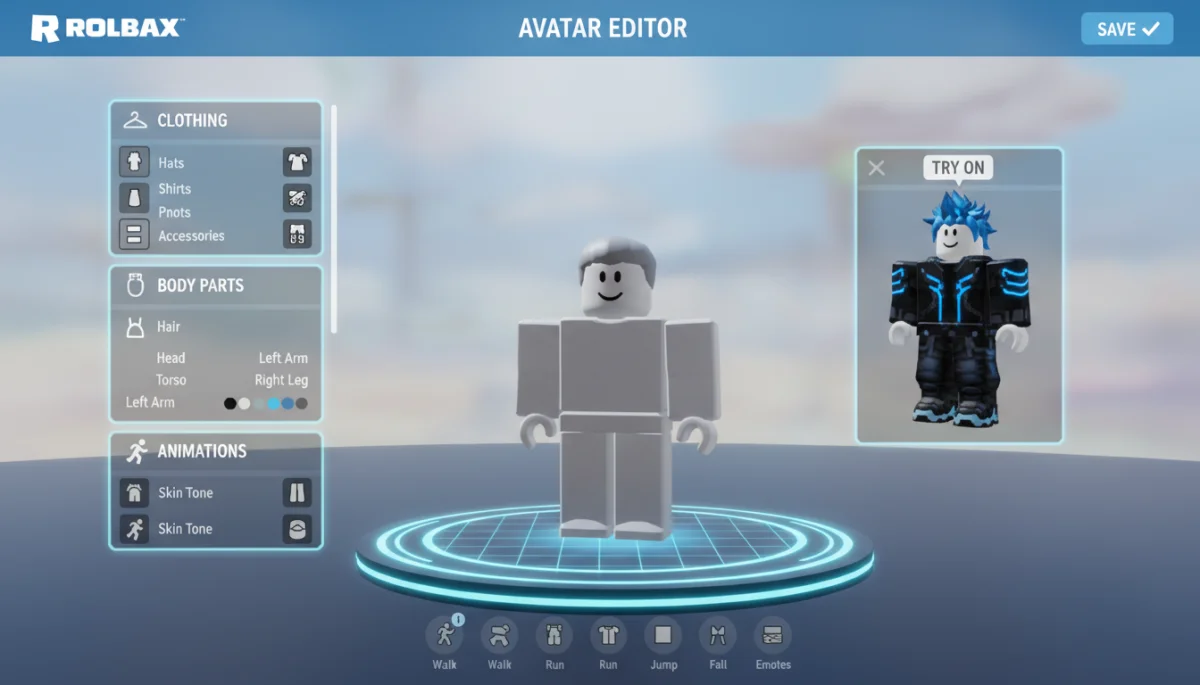
The avatar editor is a powerful tool that gives you control over every aspect of your character’s appearance, from head to toe. This feature is easily accessible from the main navigation menu, usually labeled “Avatar” or “Profile.” Spending time here can significantly enhance your overall experience, making your adventures feel more personal.
The avatar editor: a world of choices
Upon entering the avatar editor, you’ll be presented with various categories for customization. These include:
- Body: Adjusting skin tone, head, face, torso, and limbs.
- Clothing: Shirts, T-shirts, pants, and skirts.
- Accessories: Hats, hair, face accessories, neck accessories, shoulder accessories, front accessories, back accessories, and waist accessories.
- Animations: Changing walking, running, jumping, and falling styles.
The sheer volume of options can be overwhelming at first, but it also means limitless possibilities. You can mix and match items to create truly unique combinations, reflecting your personality or even mimicking your favorite characters or real-life styles. New items are constantly added to the catalog, keeping the customization options fresh and exciting.
Free items versus Robux items
For beginners, it’s great to know that there are many free items available to start building your avatar’s wardrobe. These can be found by filtering the catalog by price, allowing you to create a distinct look without spending any Robux, Roblox’s virtual currency. Free items often include basic clothing, accessories, and even some unique event-specific items.
As you become more familiar with Roblox, you might consider purchasing Robux to access premium items. These items often feature more intricate designs, branded content, or exclusive looks that can further enhance your avatar. Robux can be bought with real money or earned through various in-game activities or by creating popular experiences.
Ultimately, customizing your avatar is about creative expression. Whether you stick to free items or invest in premium ones, the goal is to create a character that you love and that represents you in the vast world of Roblox. It’s a fun way to engage with the platform beyond just playing games.
Robux and the Roblox economy: understanding virtual currency
As you delve deeper into the Roblox universe, you’ll inevitably encounter Robux, the platform’s virtual currency. Understanding how Robux works is a crucial part of this Roblox Beginner’s Guide, as it unlocks a new layer of customization, exclusive content, and enhanced experiences. Robux is the lifeblood of the Roblox economy, allowing players to purchase items, game passes, and even access premium features.
The economy within Roblox is vibrant and user-driven. Creators can earn Robux from their popular games, which in turn encourages them to develop more engaging content. For players, Robux provides a way to support their favorite creators and personalize their journey. It’s a cyclical system that fuels creativity and interaction.
Acquiring Robux: purchasing and earning
The most direct way to acquire Robux is by purchasing it with real-world money. Roblox offers various Robux packages at different price points, allowing players to choose what best suits their budget. These purchases are typically made through secure payment gateways within the Roblox platform or app stores.
Another popular method for acquiring Robux is through a Roblox Premium subscription. Subscribers receive a monthly Robux stipend, along with exclusive items and other benefits. This membership program is designed for dedicated players who frequently engage with the platform and want to maximize their experience.
For those interested in earning Robux without direct purchases, there are a few avenues:
- Creating games: Successful game developers can earn Robux through game passes, developer products, and premium payouts.
- Selling items: Users with a Premium subscription can create and sell clothing or accessories.
- Trading: Certain limited items can be traded with other players for Robux.
It’s important to be aware of unofficial Robux generators or free Robux scams, as these are often fraudulent and can compromise your account security. Always acquire Robux through official channels to ensure a safe transaction.
Spending Robux: enhancing your experience
Once you have Robux, the possibilities for spending it are vast. The most common uses include:
- Avatar items: Purchasing exclusive clothing, accessories, and animations to customize your avatar.
- Game passes: Unlocking special abilities, items, or areas within specific games.
- Developer products: Buying consumable items or temporary boosts within games.
- Private servers: Creating private versions of games to play exclusively with friends.
Spending Robux allows you to personalize your Roblox experience and support the creators who build the worlds you love. It’s a way to invest in your enjoyment and engage more deeply with the platform’s rich content. Remember to spend wisely and consider what truly enhances your gameplay.
In conclusion, understanding Robux and the Roblox economy is fundamental for new players. Whether you choose to purchase Robux, earn it through creation, or subscribe to Premium, it provides a means to customize your avatar and unlock a wealth of exclusive content, enriching your overall Roblox adventure.
Safety and community guidelines: playing responsibly
Ensuring a safe and positive experience is paramount in any online environment, and Roblox is no exception. For every new player, this Roblox Beginner’s Guide emphasizes the importance of understanding and adhering to the platform’s safety features and community guidelines. Roblox is committed to creating a secure space, particularly for its younger audience, but user awareness plays a significant role in maintaining this safety.
The platform has implemented robust moderation systems, including advanced chat filters and human moderators, to detect and remove inappropriate content or behavior. However, knowing how to protect yourself and report issues is equally important for a responsible and enjoyable gaming experience.
Understanding community standards
Roblox’s community standards outline acceptable behavior and content. These guidelines cover a wide range of topics, from respectful communication to appropriate attire for avatars and suitable game content. Familiarizing yourself with these rules helps you avoid accidental violations and ensures you contribute positively to the community.
- Respectful Communication: Avoid offensive language or harassment.
- Appropriate Content: Do not create or share inappropriate or harmful content.
- Personal Information: Never share your real-life personal details.
The platform encourages a friendly and inclusive environment. If you encounter content or behavior that violates these standards, it’s your responsibility to report it. Reporting mechanisms are built directly into the game and chat interfaces, making it easy to flag issues discreetly and efficiently.
Privacy settings and parental controls
Roblox offers comprehensive privacy settings that allow you to control who can send you messages, who can chat with you in games, and who can join you in experiences. It’s highly recommended to review these settings, especially for younger players, to tailor the level of interaction to your comfort. You can restrict communication to friends only or even disable it entirely.
For parents, Roblox provides dedicated parental control features. These allow parents to monitor their child’s activity, limit spending on Robux, and restrict access to certain types of content. Utilizing these controls can provide peace of mind and ensure a child’s online experience is managed appropriately.
In conclusion, playing responsibly on Roblox involves understanding and adhering to community guidelines, utilizing privacy settings, and knowing how to report inappropriate content. By taking these steps, you contribute to a safer environment for everyone and ensure your own experience remains positive and secure.
Connecting with the Roblox community: friends and groups
Beyond playing games solo, a significant part of the Roblox experience, as highlighted in this Roblox Beginner’s Guide, lies in its vibrant community. Connecting with other players, making friends, and joining groups can dramatically enhance your enjoyment, opening doors to collaborative adventures, shared interests, and lasting friendships. Roblox is inherently a social platform, designed to foster interaction among its millions of users worldwide.
The ability to connect with others is seamlessly integrated into the platform’s design, from in-game chat features to dedicated social hubs and group functionalities. Engaging with the community not only makes your time on Roblox more fun but also provides opportunities for learning and discovering new content through shared experiences.
Making friends and direct messaging
The simplest way to connect with other players is by sending friend requests. If you meet someone in a game who you enjoy playing with, you can send them a request directly from their profile or through the in-game player list. Once they accept, they’ll appear on your friends list, and you’ll be able to see when they’re online and what games they’re playing.
Roblox also offers a direct messaging system, allowing you to chat privately with your friends outside of games. This feature is perfect for coordinating play sessions, sharing tips, or simply catching up. Always remember to maintain respectful communication and never share personal information through messages, even with friends.
Joining and creating groups
Groups are a fantastic way to connect with players who share similar interests. Whether you’re passionate about a specific game genre, a particular creator, or a general theme, there’s likely a Roblox group for it. Joining a group allows you to participate in group chats, access exclusive group-only games or items, and stay updated on community events.
- Discover groups: Search for groups based on your interests.
- Participate in discussions: Engage with like-minded players.
- Access exclusive content: Some groups offer unique items or games.
If you can’t find a group that perfectly matches your niche, you also have the option to create your own. Creating a group allows you to build a community around your own interests, invite friends, and even manage group funds if you have a Premium subscription. This feature empowers users to become community leaders and foster their own unique spaces within Roblox.
In conclusion, connecting with the Roblox community through friends and groups enriches your overall experience. It transforms solo play into shared adventures, fosters social bonds, and allows you to explore the platform with like-minded individuals, making your journey even more memorable.
| Key Aspect | Brief Description |
|---|---|
| Account Creation | Simple process to set up your unique username and secure password, ensuring age-appropriate safety. |
| Platform Navigation | Understanding the homepage, game discovery, and profile to easily find content and friends. |
| Avatar Customization | Expressing personal style through a vast catalog of free and paid items in the avatar editor. |
| Safety Guidelines | Adhering to community standards and utilizing privacy settings for a secure online experience. |
Frequently asked questions about Roblox for beginners
Yes, Roblox is completely free to download and play. Many games and experiences within the platform are also free. However, there are optional in-game purchases using Robux, the virtual currency, for items like avatar accessories, game passes, and exclusive content. These purchases are not necessary to enjoy the core experience.
Robux is Roblox’s virtual currency. You can acquire Robux by purchasing it with real money through the official Roblox website or app, or by subscribing to Roblox Premium. Some users can also earn Robux by creating popular games or selling virtual items, but this is typically for more experienced creators.
On the Roblox homepage, you’ll find various sections like “Popular,” “Recommended,” and different game categories (e.g., Obby, Tycoon, Roleplay). You can scroll through these lists or use the search bar at the top to find specific games or genres that interest you. Each game has a description and player count to help you choose.
Absolutely! Roblox is designed for social interaction. You can add friends by searching their usernames and sending requests. Once they accept, you can see when they are online, what games they are playing, and even join them directly in their games. There’s also a chat feature for communication.
Roblox has robust safety measures, including advanced chat filters to block inappropriate content and human moderators. Users can also utilize privacy settings to control who can interact with them. Parental controls allow parents to monitor activity, limit spending, and restrict access to certain experiences, ensuring a safe environment for all players.
Conclusion
Embarking on your journey through Roblox is an exciting adventure filled with endless possibilities for creativity, exploration, and social connection. This guide has aimed to provide you with a comprehensive understanding of the platform’s core functionalities, from creating your account and navigating the interface to playing games, customizing your avatar, and understanding the virtual economy. Moreover, we’ve emphasized the critical importance of safety and responsible participation within the vibrant Roblox community. By following these steps and always prioritizing respectful interaction, you are well-equipped to dive into the metaverse and discover the boundless fun that awaits you. Whether you aspire to be an explorer, a creator, or a social butterfly, Roblox offers a unique space for everyone to thrive and enjoy. Welcome to the world of Roblox; your first steps to fun have only just begun!
