Roblox Safety: Essential Settings for New Aussie Players
Understanding and configuring essential Roblox Safety Settings is crucial for new players, particularly in Australia, to ensure a secure and positive online gaming environment by managing privacy, communication, and content access effectively.
Welcome to the expansive world of Roblox, a universe of limitless creativity and social interaction! For new players and their parents in Australia, navigating this vibrant platform safely is a top priority. This guide will walk you through the most important Roblox Safety Settings, ensuring a secure and enjoyable experience from day one.
Understanding Roblox’s Core Safety Philosophy
Roblox is designed with safety in mind, offering a range of tools and features to protect its vast user base. Their core philosophy centers on empowering users and parents with control over their online experience. This includes robust content moderation, communication filters, and privacy settings that can be customized to suit individual needs and comfort levels.
For new players, especially younger ones, it’s vital to grasp that while Roblox provides these tools, active engagement from parents and guardians is crucial. No automated system is foolproof, and a collaborative approach to online safety yields the best results. This means not just setting up initial configurations, but also having ongoing conversations about online conduct and potential risks.
The platform continually updates its safety features in response to feedback and evolving online challenges. Staying informed about these updates ensures that your safety measures remain effective. This proactive stance is what makes Roblox a leader in user protection within the gaming industry, providing a dynamic and responsive safety framework.
Age-Based Account Restrictions and Parental Controls
One of the foundational aspects of Roblox safety involves age-based account restrictions. When creating an account, users are prompted to enter their birthdate, which then automatically applies certain default safety settings.
- Under 13 Accounts: These accounts have stricter communication filters, limited chat options (only with friends), and content restrictions that filter out experiences deemed inappropriate for younger audiences.
- 13+ Accounts: While still having robust safety features, these accounts have more open communication options and access to a wider range of experiences, though content is still moderated.
- Parental PIN: Parents can set a four-digit PIN to lock account settings, preventing children from changing privacy or spending controls without permission. This is a critical tool for maintaining oversight.
These age-based distinctions are not merely arbitrary; they are designed to align with developmental stages and common online safety recommendations. Parents should verify their child’s birthdate on the account to ensure the correct settings are applied from the outset. This initial step is fundamental to establishing a secure Roblox environment.
In conclusion, understanding Roblox’s safety philosophy and leveraging its age-based restrictions are the first steps toward a secure gaming experience. These foundational elements provide a strong starting point for customizing further safety measures.
Configuring Privacy Settings for Optimal Protection
Privacy settings are arguably the most critical area to focus on when setting up a new Roblox account. These controls dictate who can interact with a player, what information they share, and how visible their activities are to others. Taking the time to customize these settings ensures a tailored and secure experience.
Accessing these settings is straightforward: simply log into the Roblox account, navigate to the settings gear icon, and select ‘Privacy’. Here, you’ll find a comprehensive list of options that can be adjusted. It’s recommended to review each setting carefully, considering the player’s age and your family’s comfort level with online interactions.
Managing Communication and Interaction Controls
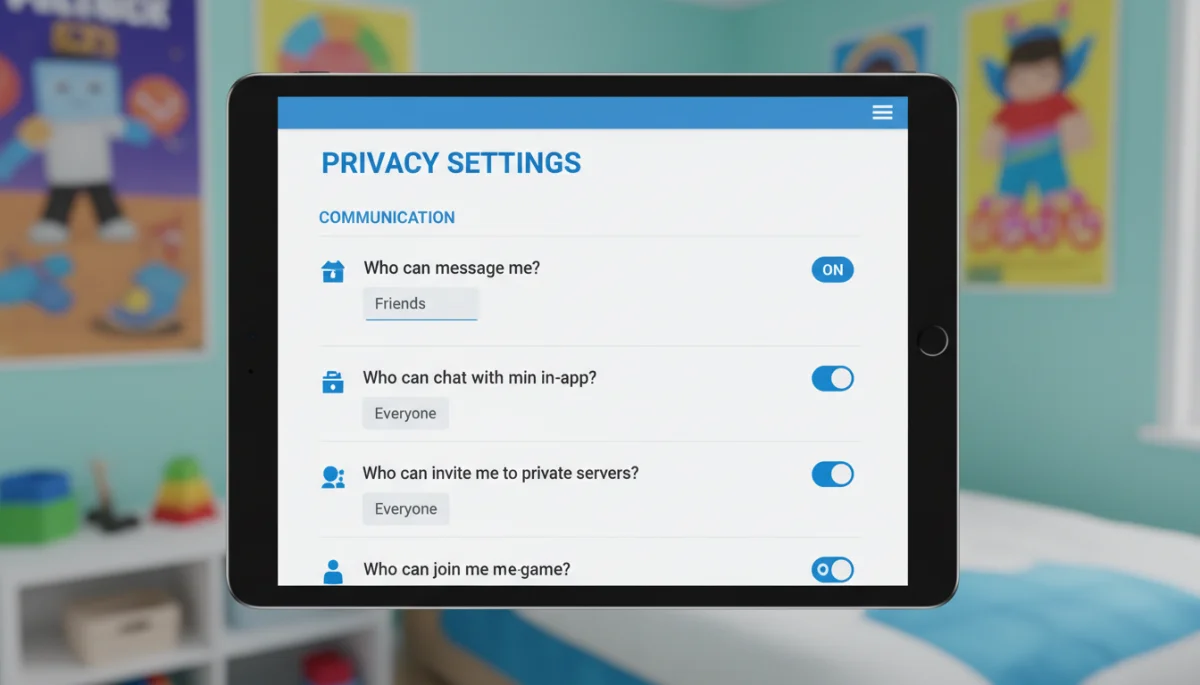
Communication is a central part of the Roblox experience, but it’s also where many safety concerns arise. Roblox offers granular control over who can communicate with a player, both through direct messages and in-game chat.
- Who can message me? Options typically include ‘No one’, ‘Friends’, or ‘Friends and Followers’. For younger children, ‘No one’ or ‘Friends’ is generally recommended to limit unsolicited contact.
- Who can chat with me in-app? Similar to messages, this controls in-game chat visibility. Setting this to ‘Friends’ or ‘No one’ can prevent unwanted conversations with strangers.
- Who can invite me to private servers? Private servers offer a more controlled environment, but it’s still wise to limit invitations to trusted contacts.
Beyond these direct controls, Roblox employs an extensive chat filtering system that automatically blocks inappropriate language and personal information. While highly effective, it’s not a substitute for active supervision and open communication with children about what they encounter online. Regularly checking chat logs (if enabled and appropriate) can also provide insights.
Controlling Friend Requests and Follower Settings
The social aspect of Roblox revolves around friends and followers. While building connections is fun, it’s important to manage who can send friend requests and who can follow a player’s activity.
- Who can make me a friend? Options range from ‘No one’ to ‘Everyone’. For enhanced safety, consider limiting this to ‘Friends of Friends’ or even ‘No one’ for very young players.
- Who can follow me? Followers can see a player’s public activity. Restricting this can help maintain a lower profile.
These settings are particularly important for new players who might be eager to accept all requests. Teaching children to only accept requests from people they know in real life, or from trusted online acquaintances, is a crucial lesson in online discernment. Regularly reviewing friend lists can also help ensure that all connections are appropriate.
In summary, meticulously configuring privacy settings, especially communication and interaction controls, forms a vital layer of protection for new Roblox players. These adjustments empower users to curate their social environment and minimize potential risks.
Utilizing Account Restrictions and Content Filtering
Beyond communication, managing the types of experiences (games) a player can access is another cornerstone of Roblox Safety Settings. Roblox offers robust account restrictions and content filtering tools that allow parents to control the content their children can explore, aligning it with their age and maturity level.
This feature is particularly beneficial for families with younger children or those who prefer a more curated gaming experience. It prevents accidental exposure to content that might be too advanced or simply not suitable for their specific preferences. Setting these restrictions provides peace of mind, knowing that children are engaging with appropriate content.
Setting Age Recommendations for Experiences
Roblox categorizes experiences based on age recommendations, similar to movie ratings. These ratings are determined by the content within the experience, including violence, language, and user-generated interactions. Parents can leverage these ratings to filter the available games.
- All Ages: Content generally suitable for everyone, minimal violence, no strong language.
- 9+: May contain mild cartoon violence or infrequent mild language.
- 13+: May contain moderate cartoon violence, infrequent strong language, and more complex themes.
By setting an age restriction in the account settings, players will only be able to see and access experiences that fall within or below that chosen rating. This is an incredibly powerful tool for content management, ensuring that children are not exposed to games beyond their developmental stage. It’s important to note that these ratings are primarily based on content, not necessarily complexity, so parental judgment is still valuable.
Understanding and Activating Account Restrictions
Account Restrictions is a dedicated feature that provides an even stricter content filter. When activated, it limits a child’s account to a curated list of experiences deemed appropriate for all ages by Roblox moderators. This is an excellent option for very young players or those who require the most stringent content controls.
Activating Account Restrictions also disables certain social features, such as private messaging and in-experience chat, to further enhance safety. This creates a highly controlled environment, focusing solely on gameplay within approved experiences. While it limits some of the social aspects of Roblox, it offers unparalleled peace of mind regarding content exposure.
Regularly reviewing the types of experiences your child is playing, even with restrictions in place, is always a good practice. This allows for open discussions about what they enjoy and helps you understand their interests within the platform. The goal is to balance safety with fostering a positive and engaging gaming experience.
In essence, account restrictions and content filtering provide robust mechanisms for parents to tailor the Roblox experience to their child’s specific needs. These tools are indispensable for maintaining a safe and age-appropriate gaming environment.
Managing In-App Purchases and Spending Limits
Roblox utilizes its own virtual currency, Robux, which players can use to purchase items, game passes, and access premium experiences. While this adds to the fun, it also presents a potential area for concern regarding unauthorized spending. Understanding and setting up spending limits is a crucial part of comprehensive Roblox Safety Settings.
Many parents in Australia find themselves navigating this aspect, seeking ways to allow their children enjoyment without unexpected bills. Fortunately, Roblox and associated app stores provide several mechanisms to control and monitor in-app purchases effectively, ensuring financial security for families.
Setting Up a Parental PIN for Purchases
One of the most effective ways to prevent unauthorized Robux purchases is by setting a Parental PIN. This four-digit code, configured in the account settings, can be used to lock various account features, including the ability to make purchases.
- PIN Protection: Once activated, any attempt to buy Robux or make in-game purchases will require the Parental PIN. This ensures that no purchases can be made without parental approval.
- Account Settings Lock: The PIN can also lock other critical safety settings, preventing children from inadvertently or intentionally changing privacy or content filters.
- Regular Review: Periodically review your PIN settings to ensure they are still active and that no unauthorized changes have occurred.
This feature acts as a strong deterrent against impulsive or accidental spending. It shifts the control firmly into the hands of the parents, allowing them to decide when and how Robux are purchased. It’s a simple yet powerful tool for financial management within the Roblox ecosystem.
Utilizing App Store Purchase Controls
Beyond Roblox’s internal PIN, both Apple’s App Store and Google Play Store offer their own robust parental controls for in-app purchases. These settings are configured at the device or account level and can provide an additional layer of security.
- Password Requirement: Most app stores allow you to require a password for every purchase or after a certain time interval (e.g., every 15 minutes). Setting this to ‘always require’ is the safest option.
- Disabling In-App Purchases: For maximum control, parents can completely disable in-app purchases on the device through their respective app store settings.
- Purchase History Monitoring: Regularly check purchase history in the app store to monitor any transactions and ensure they are legitimate.
Combining Roblox’s Parental PIN with your device’s app store controls creates a formidable defense against unwanted spending. It’s a dual-layered approach that offers comprehensive financial safety, allowing children to enjoy Roblox without financial surprises.
In conclusion, proactive management of in-app purchases through Roblox’s Parental PIN and device-level app store controls is essential. These measures safeguard against unauthorized spending and foster responsible engagement with virtual currency.
Reporting and Blocking: Empowering Players
Even with the most stringent Roblox Safety Settings in place, issues can occasionally arise. This is why Roblox provides clear and accessible tools for players to report inappropriate behavior and block unwanted users. Empowering players with the knowledge and confidence to use these tools is a critical aspect of online safety education.
Teaching children how to react responsibly to uncomfortable situations online is just as important as setting up technical safeguards. These reporting and blocking features are designed to be user-friendly, allowing quick action against problematic interactions, ensuring a safer community for everyone.
How to Report Inappropriate Content or Users
Roblox has a dedicated reporting system that allows players to flag any content or user behavior that violates their Community Standards. This includes inappropriate chat, offensive creations, or harassment.
- In-Game Reporting: Most experiences have an in-game report button, often accessible through the menu or by clicking on a user’s avatar. This allows for immediate reporting within the context of the issue.
- Website Reporting: Users can also report directly through the Roblox website by navigating to the profile of the user or the page of the experience they wish to report.
- Detailed Reporting: When reporting, it’s helpful to provide as much detail as possible, including screenshots or specific chat logs if available. This assists moderators in their investigation.
It’s crucial to explain to children that reporting is not ‘tattling’ but a way to keep themselves and others safe. Reassure them that Roblox takes these reports seriously and that their actions contribute to a positive community environment. Encourage them to come to a trusted adult if they encounter anything that makes them feel uncomfortable.
Blocking Unwanted Users
Blocking a user is an immediate way to stop all communication and interaction with that individual. When a player blocks another user, the blocked user can no longer send messages, chat in-game, or follow the player’s activity.
- Instant Disengagement: Blocking provides an immediate cessation of contact, removing the user from the player’s social sphere on Roblox.
- Privacy Maintained: The blocked user will not be notified that they have been blocked, maintaining the player’s privacy.
- Easy Access: The block feature is easily accessible from a user’s profile page or often directly within an experience.
Teaching children how to use the block feature effectively gives them an active tool for self-protection. It empowers them to take control of their online interactions and remove themselves from uncomfortable or negative situations without needing immediate adult intervention. This fosters a sense of agency and confidence in their online presence.
In conclusion, familiarizing players with the reporting and blocking mechanisms is essential. These tools empower them to actively participate in their own safety, fostering a more secure and respectful Roblox community for everyone.
Best Practices for Parents and Guardians in Australia
While Roblox provides a robust suite of Roblox Safety Settings, the most effective safety strategy involves active parental engagement. For parents and guardians in Australia, adopting best practices ensures that the digital world of Roblox remains a positive and enriching experience for their children. This goes beyond technical configurations and delves into communication and ongoing supervision.
Creating an open dialogue with your child about their online activities is paramount. When children feel comfortable discussing their experiences, both good and bad, they are more likely to seek help if they encounter something problematic. This trust-based approach forms the bedrock of effective online safety.
Open Communication and Digital Literacy
Fostering open communication about online experiences is perhaps the most important parental best practice. This involves regular conversations, not just interrogations, about what children are doing, seeing, and feeling on Roblox.
- Regular Check-ins: Dedicate time to talk about their favorite games, who they play with, and any new friends they’ve made.
- Encourage Questions: Create an environment where children feel comfortable asking questions about online rules or concerns without fear of judgment.
- Teach Critical Thinking: Help them develop digital literacy by teaching them to question things that seem too good to be true, or to recognize manipulative tactics.
Beyond talking, consider playing Roblox with your child. This gives you firsthand insight into the games they enjoy, the communities they participate in, and the types of interactions they have. It also provides a shared experience that can strengthen your bond and open doors for natural conversations about online safety.
Co-Viewing and Supervision Strategies
Co-viewing, or playing alongside your child, is an excellent way to supervise their Roblox activity without being overly intrusive. This can be done by simply being in the same room while they play or by actively participating in games with them.
- Shared Device Use: If possible, encourage playing Roblox on a family computer or in a common area of the house. This makes casual supervision easier.
- Time Limits: Establish clear and consistent screen time limits to ensure a healthy balance between online and offline activities. Many devices and operating systems offer built-in tools for this.
- Reviewing Activity: Periodically review your child’s Roblox activity, including recent games played and friend lists. This can be done discreetly and used as a basis for further discussion.
Remember that the goal is not to spy on your child, but to guide and protect them. Frame supervision as a collaborative effort to ensure their safety and enjoyment, rather than a punitive measure. As they grow older and demonstrate responsibility, gradually adjust your supervision level to foster independence.
In conclusion, parental engagement through open communication, digital literacy education, and thoughtful supervision strategies are critical complements to Roblox’s built-in safety features. These practices create a holistic safety net for children navigating the platform.
Staying Updated and Adapting Safety Measures
The digital landscape is constantly evolving, and Roblox is no exception. New experiences are added daily, and the platform continuously refines its features and safety protocols. Therefore, staying informed and regularly reviewing your Roblox Safety Settings is an ongoing commitment, not a one-time setup.
For Australian families, this means being proactive about understanding changes and adapting safety measures as your child grows and their online habits mature. What might have been appropriate for a seven-year-old might need adjustments for a ten-year-old, and so on. Continuous learning is key to maintaining effective online protection.
Monitoring Roblox Updates and Features
Roblox frequently releases updates, which can include new safety features, changes to existing settings, or improvements to content moderation. Keeping an eye on official Roblox announcements, blog posts, or parent resource pages can help you stay informed.
- Official Channels: Subscribe to Roblox’s official blog or follow their social media channels for direct updates on new features and safety initiatives.
- Parent Resources: Regularly visit the Roblox Parent’s Guide or Safety Hub, which often contain updated information and advice tailored for guardians.
- Community Forums: Engaging with other parents in online forums can also provide insights into common concerns and effective strategies.
Understanding these updates ensures that you are leveraging the latest tools available to protect your child. It also demonstrates to your child that you are invested in their online world, fostering a sense of shared responsibility for their safety. Being an informed parent is your best defense against emerging online risks.
Periodically Reviewing and Adjusting Settings
Safety settings are not static; they should evolve with your child. As children mature, their understanding of online interactions changes, and their desire for more independence grows. This necessitates periodic reviews and adjustments to their Roblox account settings.
- Scheduled Reviews: Consider setting a reminder to review all privacy, communication, and content settings every few months, or at major milestones like birthdays.
- Age-Appropriate Adjustments: Discuss with your child which settings might be loosened or tightened based on their demonstrated maturity and understanding of online safety.
- Responding to Incidents: If any online incidents occur, use them as a learning opportunity to review and potentially strengthen specific safety settings.
The goal is to gradually empower your child to manage their own online safety as they demonstrate readiness. This iterative approach to safety settings ensures that they remain relevant and effective throughout your child’s Roblox journey, promoting a healthy balance between protection and independence.
In conclusion, staying updated on Roblox developments and consistently reviewing and adapting safety settings are crucial for long-term online protection. This dynamic approach ensures that your safety measures remain effective and aligned with your child’s evolving needs.
| Key Safety Area | Brief Description |
|---|---|
| Privacy Controls | Manage who can message, chat, and interact with the player, limiting contact to trusted individuals. |
| Account Restrictions | Filter available experiences based on age ratings and content suitability, ensuring age-appropriate gameplay. |
| Spending Limits | Set a Parental PIN and use app store controls to prevent unauthorized Robux purchases and manage spending. |
| Reporting & Blocking | Empower players with tools to report inappropriate content or users and block unwanted interactions immediately. |
Frequently Asked Questions About Roblox Safety
▼
For new players, the most important settings are privacy controls (who can chat and message you), account restrictions (content filtering based on age), and setting a Parental PIN to prevent unauthorized purchases. These core settings establish a secure foundation for safe play.
▼
Parents can monitor activity by utilizing the Parental PIN to lock settings, reviewing friend lists, discussing games played, and co-viewing. Open communication about online experiences is crucial. Some device-level parental controls also offer activity reports for broader oversight.
▼
Roblox employs robust chat filters for all accounts, with stricter filters for players under 13. Parents can further enhance safety by limiting chat to ‘Friends’ or ‘No one’ in privacy settings. Ongoing parental supervision and open dialogue are also recommended to ensure safety.
▼
The Parental PIN is a four-digit code that locks critical account settings, including privacy controls, content restrictions, and purchase abilities. It ensures that children cannot change safety settings or make unauthorized Robux purchases without parental permission, providing a vital layer of security.
▼
To prevent accidental purchases, activate the Parental PIN to lock Robux purchases within Roblox. Additionally, configure your device’s app store settings (Apple App Store or Google Play Store) to require a password for every in-app purchase. These combined measures offer robust financial protection.
Conclusion
Navigating the vibrant world of Roblox safely is an achievable goal for new players and their families in Australia, provided the right measures are put in place. By actively engaging with the comprehensive Roblox Safety Settings – from customizing privacy and communication controls to leveraging account restrictions and managing in-app purchases – parents can create a secure and enriching online environment. Remember that technical safeguards are most effective when coupled with open communication, ongoing supervision, and a proactive approach to staying informed about platform updates. Empowering children with the knowledge to report and block inappropriate behavior further strengthens their ability to navigate the digital landscape responsibly. With these strategies, Roblox can truly be a place of creativity, learning, and fun for everyone.
